This report is written specifically for Managed Service Providers (MSPs) evaluating Microsoft 365 backup solutions for multi-tenant service delivery. The vendors listed either have MSP-first workflows built into their platform or are enterprise-class offerings frequently deployed by MSPs to meet the needs of mid-market and regulated clients.
Research Approach for the Best Microsoft 365 Backup Solutions for MSP
Instead of standalone use, Managed Service Providers (MSPs) work with small and mid-sized businesses (SMBs), providing IT outsourcing, system integration, and managed IT services. They require a multi-domain management using a reliable, scalable, and easy-to-manage backup solution to ensure data protection for their clients.
The criteria for inclusion into the roundup are:
- Centralized multi-tenant management availability (MSP portal)
- Scalability
- Flexible Licensing model
- RMM/PSA integration
- Storage ownership
- Restore SLA performance
Balance of data protection options, manageability, and commercial terms that make them good fits for MSPs offering Microsoft 365 backup as a managed service in 2026.
Comparison Table
|
Vendor
|
MSP Portal
|
Native Storage Agnostic*
|
Multi SaaS**
|
Approx. Price (Per User/Month)
|
|
Cove (N-able)
|
V
|
X
|
X
|
~$1.99
|
|
NinjaOne
|
V
|
X
|
V
|
~$2.79
|
|
MSP360
|
V
|
V
|
V
|
~$1.1
|
|
Backupify (Datto / Kaseya)
|
V
|
X
|
V
|
~$3
|
|
Redstor
|
V
|
X
|
V
|
n/a
|
|
BDRShield (Vembu)
|
V
|
V
|
V
|
~$1
|
|
NAKIVO
|
V
|
V
|
X
|
~$1
|
|
Acronis
|
V
|
X
|
V
|
~$4.25
|
|
Veeam
|
V
|
V
|
X
|
~$4.1
|
|
Druva
|
V
|
X
|
V
|
~$2.25
|
|
AvePoint
|
V
|
X
|
V
|
~$2
|
|
Cohesity
|
V
|
X
|
X
|
n/a
|
|
CloudAlly
|
V
|
X
|
V
|
~$1.5
|
* Native Storage Agnostic - backups can be stored in customer-owned cloud storage (no vendor storage required).
** Multi SaaS backup - a data protection solution that supports more than 1 SaaS workload.
Note: Prices and all data are based on open sources (including marketplaces and reseller listings) and may vary. Please verify with the vendor.
For a full cloud-to-cloud market overview covering 23 vendors across enterprise and SMB segments, see the complete 2026 comparison on MSP360.
Cove Data Protection
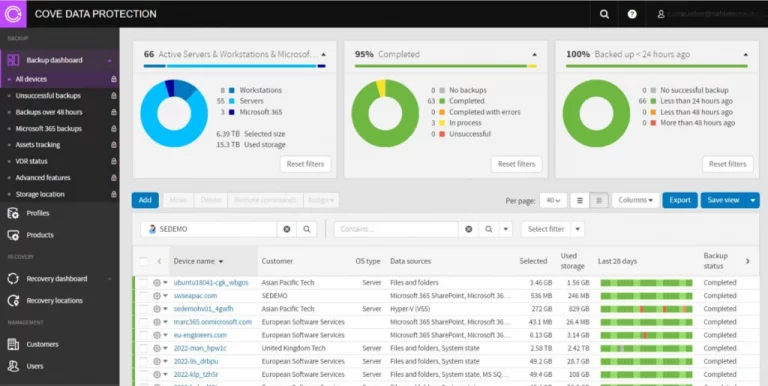

Cove Data Protection for Microsoft 365 Users (by N-able) is a cloud-managed backup and recovery solution protecting customer environments at scale. Cove’s approach to data protection emphasizes operational simplicity and reliability, with centralized backup, recovery, and data security management for Microsoft 365 Users.
Key Pros of N-able
Features include encryption, integrated deduplication for storage efficiency, and ransomware protection. While primarily a N-able cloud-based solution, it allows for consistent backup and recovery of Microsoft 365 components like OneDrive, SharePoint, etc.
Key Cons of N-able
Advanced search and restore workflows can be limited in complex scenarios. The restore process can be slower when dealing with large amounts of data. Cove is entirely cloud-based and saves backup data to N-able's private cloud. Some businesses can view this as less flexible if you have hybrid IT environments or are worried about feeling locked in to a vendor. Cove does not support Google Workspace, and exporting to PST files is not built in.
MSP360 Managed Backup for Microsoft 365
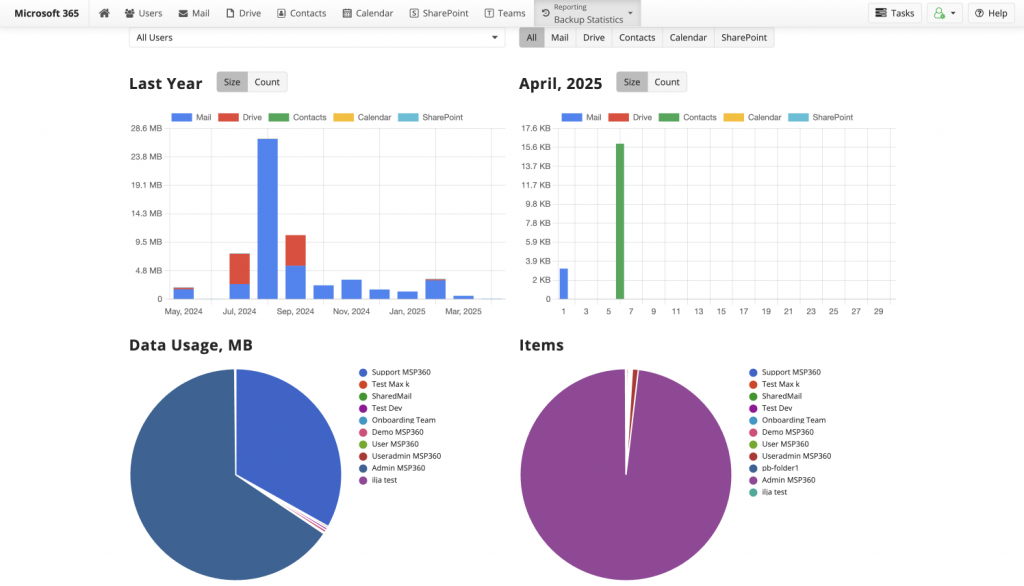

MSP360 Managed Backup for Microsoft 365 offers cost-effective cloud-to-cloud data protection and quick recovery, with simple setup and maintenance that supports all core M365 components. Unified and secure backup management built for MSPs with multiple domains eliminates vendor lock-in and reduces maintenance time. Managed version is featured by a centralized console to manage backups for multiple clients with flexible licensing and scalability.
Key Pros of MSP360 Backup for Microsoft 365
MSP360 Managed Backup for Microsoft 365 offers a BYOC option and supports all major public S3-compatible cloud storage providers. The Cloud-to-cloud solution requires no local infrastructure and offers advanced encryption with MFA, role-based access controls, object lock, audit logging along with PST file export and comprehensive reporting, keeping the solution fully compliant.
Key Cons of MSP360 Backup for Microsoft 365
MSP360 Backup may lack comprehensive metadata backup for SharePoint, Microsoft Teams in certain situations.
The solution offers a strictly cloud-to-cloud solution and does not offer a local or hybrid deployment. Integration with non-MSP-focused platforms may be limited. Free trial is only offered for 14 days.
Backupify Microsoft 365 Backup
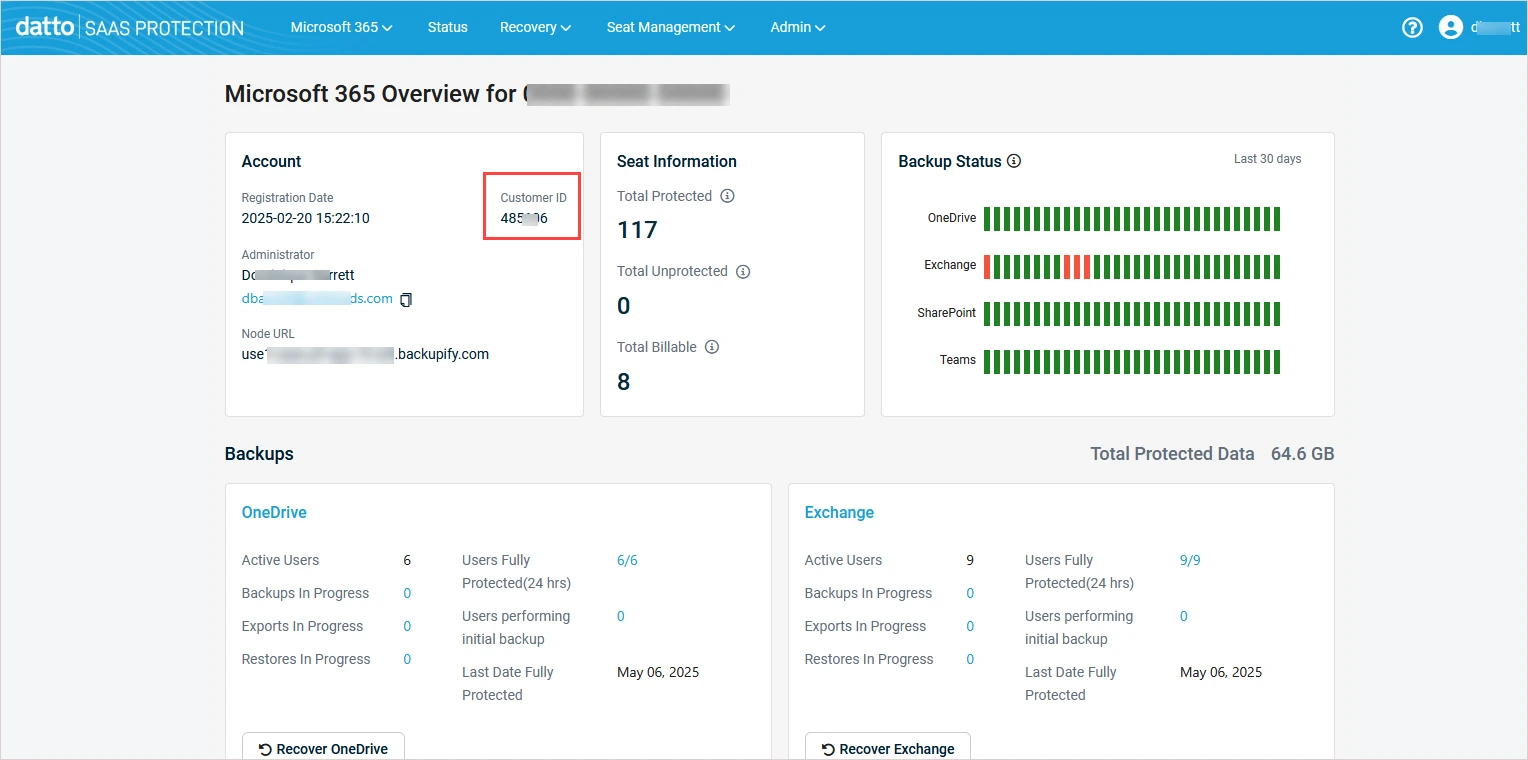

Backupify Microsoft 365 Backup is a cloud-to-cloud data protection platform that is purpose-built to back up and protect Microsoft 365 workloads. Backupify, a native SaaS backup and recovery tool, was acquired by Datto in 2014 and is now integrated as part of the Datto SaaS Protection portfolio and operates within the Kaseya ecosystem following Kaseya’s acquisition of Datto in 2022.
Key Pros of Backupify
Backupify provides automated backups with unlimited retention and granular restore capabilities at the item level for email, files, and SharePoint data. Backupify’s cloud platform integrates natively with Microsoft 365 and requires no infrastructure to manage, allowing you to focus on always keeping data protected. Designed specifically for MSPs, Backupify offers a multi-tenant management portal, robust reporting and audit logs, and easy customer onboarding. Backupify also offers backup for Google Workspace and keeps backup data separate from your production Microsoft 365 tenant in Datto’s private cloud.
Key Cons of Backupify
Data is housed in Backupify's managed cloud infrastructure. Customer-owned/cloud storage isn't independently managed, which increases the feeling of vendor lock-in. Licensing depends on your environment, which can get tricky, and PST export typically needs to be done through third-party tools. Alerting and monitoring options are limited. Some customers note slow response time from the support.
NinjaOne (Dropsuite)
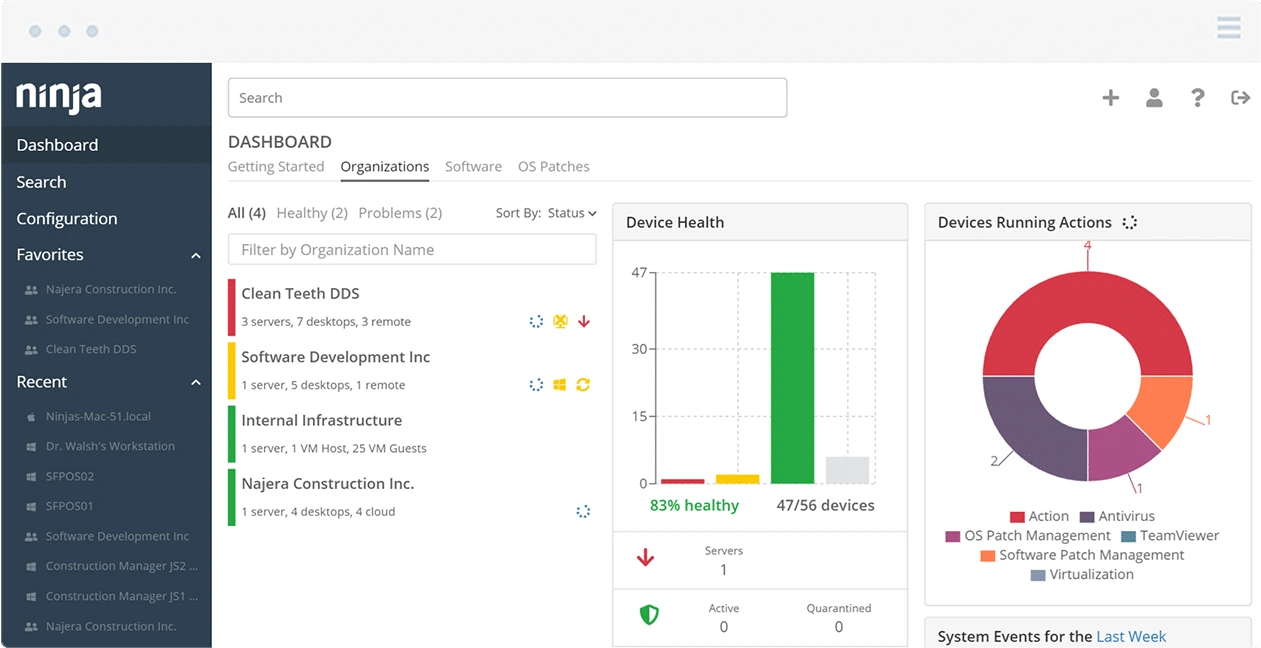

NinjaOne - SaaS Protection by Dropsuite is a cloud-to-cloud backup service that protects data across Microsoft 365. Built by Dropsuite and now part of NinjaOne’s suite of cloud security tools, the platform is designed with a focus on operational simplicity, predictable behavior, and fast time to deploy.
Key Pros of NinjaOne Backup
NinjaOne covers backup and recovery for Exchange Online, OneDrive for Business, SharePoint Online, and Microsoft Teams with point-in-time and granular restore capabilities, along with encryption for common recovery scenarios. The platform supports immutable backups through object lock, helps organizations meet many compliance requirements, and enables fast deployment with simple, easy-to-manage backup policies. As part of the broader NinjaOne ecosystem, it integrates into existing workflows for streamlined management and onboarding.
Key Cons of NinjaOne Backup
The restore performance can vary. Restore time may fluctuate based on the amount of data and the type of workload being restored. Backups are stored in the Dropsuite managed cloud infrastructure. This can increase the feeling of vendor lock-in and reduce the flexibility of backup storage. Additionally, the restore functionality for SharePoint has limitations.
Redstor Backup and Archiving
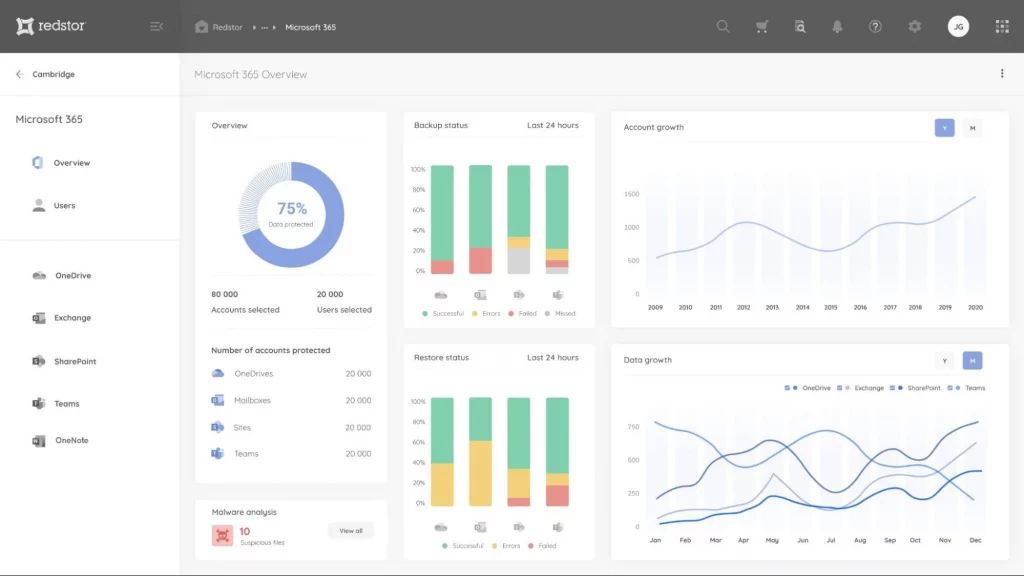

Redstor Backup and Archiving is a cloud-based data protection solution designed to deliver backup and long-term retention for Microsoft 365. Built around principles of immutability and data-resiliency, Redstor positions Microsoft 365 backup and recovery as part of an overall solution focused on ransomware protection and compliance-driven recovery as opposed to day-to-day operational restores.
Key Pros of Redstor
Redstor automatically backs up Microsoft 365 environments and includes point-in-time and item-level restore. New users are automatically protected as they are added to the Microsoft 365 environment. Object lock immutable backups are stored in vendor-managed cloud storage, minimizing the risk of ransomware and accidental deletion. Aside from integrating with Microsoft 365, the Redstor platform has been expanding its connector ecosystem recently, offering integration with Entra ID, Google Workspace, Salesforce, and more. AI detection of malware is included out-of-the-box.
Key Cons of Redstor
Customers have claimed Redstor pricing to be on the higher side when compared to other vendors, especially in large-scale environments. Performance of restores can be impacted depending on the size of the workload and amount of data. Microsoft Teams recovery offers limited functionality as of this writing. Private chat must be restored to a new Team, they cannot be restored in-place. Private channel restore is not supported. Some customers have experienced a lack of intuitiveness when using the web-based UI.
BDRShield for Microsoft 365
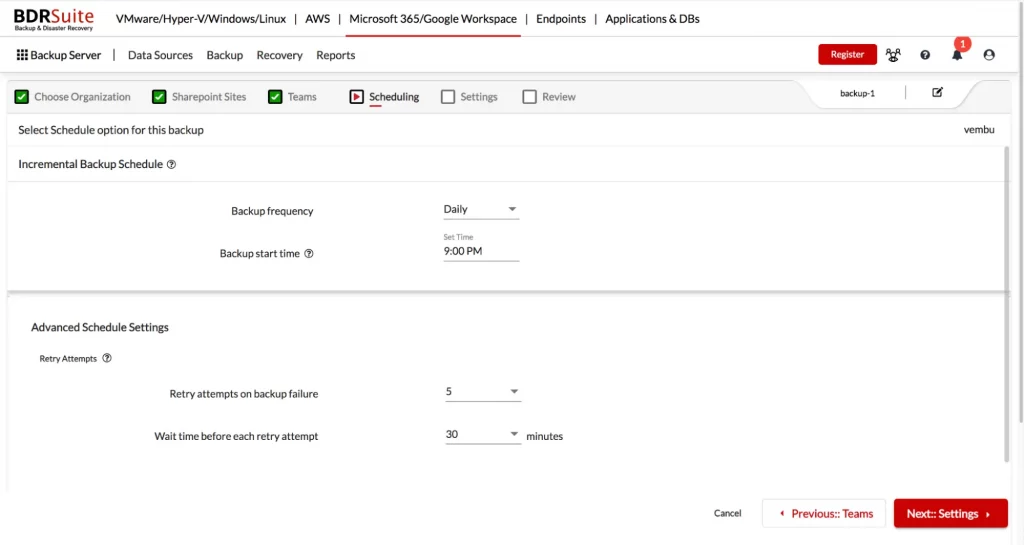

BDRShield for Microsoft 365 is a SaaS data protection extension to Vembu Technologies’ larger set of backup and DR products for on-prem and cloud workloads. The company offers BDRShield for Microsoft 365 as part of a broader backup and disaster recovery platform for cloud applications.
Key Pros of BDRShield
Support for Microsoft 365 backup with a granular recovery option to restore individual items within users’ mailboxes, public folders, or SharePoint documents/sites across supported workloads. Flexible retention policies are supported, including long-term retention needed for compliance and archival purposes. Flexible storage options allow organizations to deploy the solution into local storage/private clouds, or public clouds. Microsoft 365 protection and management are integrated into Vembu’s centralized, unified management platform, with role-based access control (RBAC) to support secure administration.
Key Cons of BDRShield
BDRShield is typically aimed at smaller / mid-sized environments so larger enterprises with more robust needs may lack some of the advanced features they desire. This also tends to carry over into its reporting/analytics capabilities which are serviceable but on the lower end of the scale when compared to more premium enterprise offerings.
On the operations side of things the UI can feel unfriendly to some admins, and licensing has the potential to get tricky based on deployment model and storage configuration.
NAKIVO Backup for Microsoft 365

NAKIVO Backup for Microsoft 365 is a Microsoft 365 protection module that is integrated with NAKIVO Backup & Replication, the company’s unified data protection platform. The company markets the module to organizations that want to manage their M365 data protection alongside their on-prem or cloud infrastructure backups from the same management plane.
Key Pros of NAKIVO
NAKIVO Backup for Microsoft 365 provides extensive workload coverage for core Microsoft 365 services. Advanced features include item-level restores and PST export. All this contributes to flexible recovery scenarios with simple deployment and maintenance. With BYOC support, organizations can reuse existing object or cloud storage, maintaining control over backup data placement. As part of NAKIVO’s unified backup platform, Microsoft 365 protection integrates with other workloads under a single management portal.
Key Cons of NAKIVO
NAKIVO isn't strictly cloud-to-cloud SaaS, so you may need to factor in additional infrastructure for deployment and management. Capacity planning may also be required to scale out the environment over time, especially as your data grows. Backup frequency as well as reporting can be limited when compared to some native SaaS solutions. Other connectors, like Google Workspace are not supported for backup.
Acronis Ultimate 365
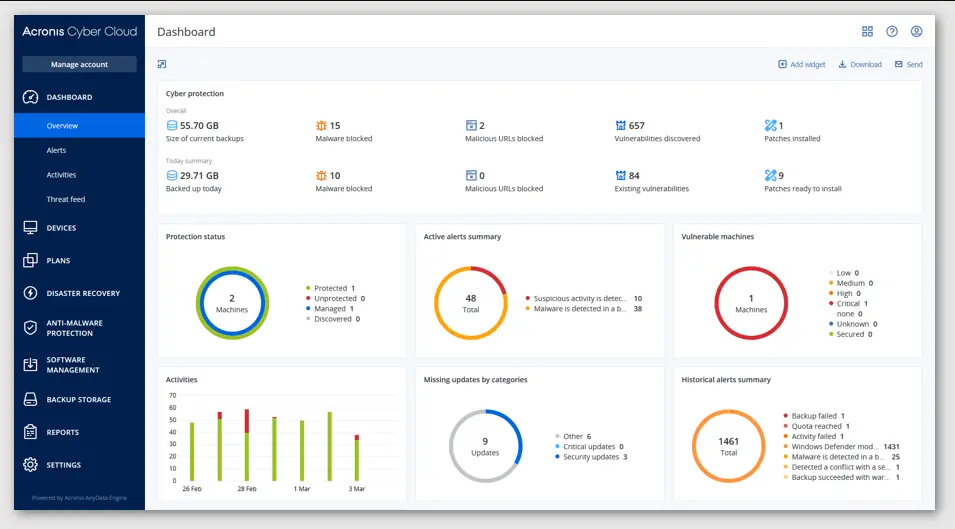

Acronis Ultimate 365 is a Microsoft 365-focused cyber protection bundle delivered within the Acronis Cyber Protect Cloud platform that offers to reduce cyber risk with centralized backup, disaster recovery, and security under a single management platform. It is built around a wider definition of cyber resilience, which also focuses on the availability, integrity, and security of business data and workloads running on a mixed environment.
Key Pros of Acronis
Acronis Ultimate 365 includes native Microsoft 365 protection with point-in-time restore and security features to mitigate ransomware risks. Backed-up data can be secured using immutable storage (Object Lock), and encryption helps keep your data safe in transit and at rest. Select unlimited Acronis-hosted storage for easy capacity planning and predictable costs. MSPs can manage from a central location using the Acronis console for fast deployment and easy administration of protected workloads.
Key Cons of Acronis
Acronis licensing models and pricing can get complicated and require long-term commitments, as there is no month-to-month option. Acronis could decrease flexibility for some companies. Although there is unlimited Acronis-hosted storage, pricing becomes less predictable when using third-party storage in the cloud. Additionally, supporting an external storage provider like AWS, Azure, or Google Cloud requires the "Acronis Backup Gateway" component, which increases architectural complexity and risk of operational lock-in. PST export is not supported. Prices are often considered higher than those of some competitors.
Veeam Microsoft 365 and Entra ID backup
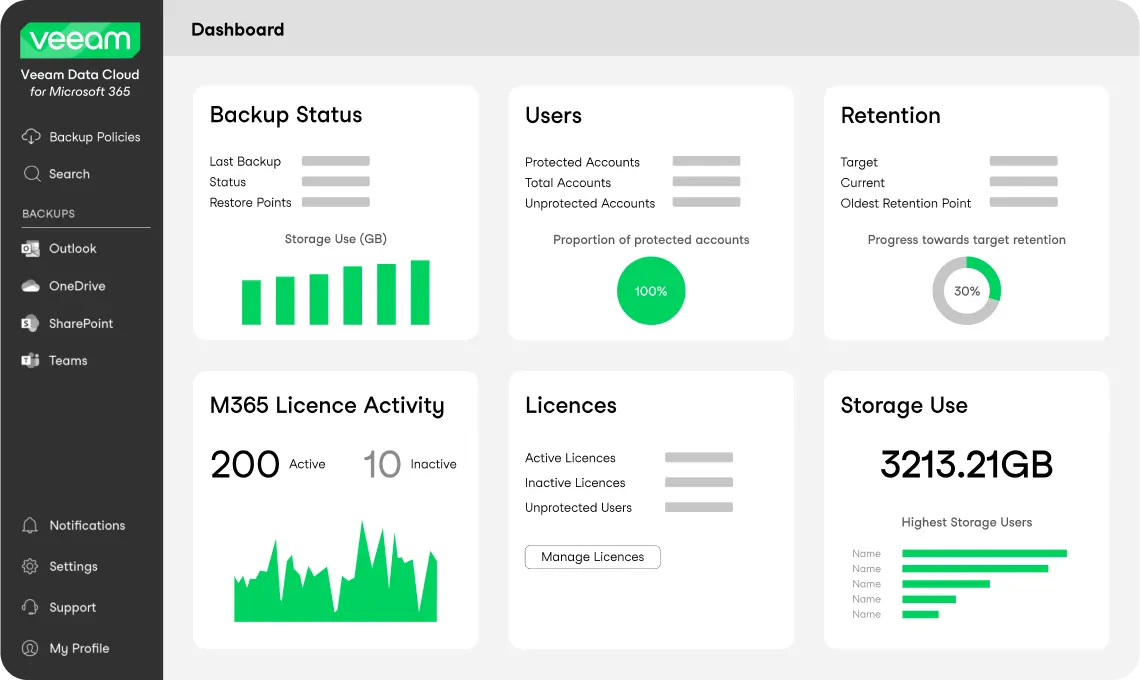

Veeam Microsoft 365 backup is based on experience in data protection for SaaS workloads. The solution targets organizations seeking enterprise-grade backup and recovery for Microsoft 365 services with full ownership of the data, retention policies, and recovery processes.
Key Pros of Veeam
The solution protects Exchange Online, SharePoint Online, OneDrive, and Microsoft Teams workloads, with the option to add Entra ID, which protects objects such as users and groups. Perform granular recovery of emails, calendar events, and files, together with full item restore. Scale with the latest developments, with support for multiple storage tiers and immutable backups with Object Lock. Take advantage of the extensive connector ecosystem to protect other workloads outside of core Microsoft 365 solutions.
Key Cons of Veeam
Operationally, onboarding time can take longer than expected, and in the self-managed version, ongoing job management may feel complex, especially with multiple separate policies to fully cover different scenarios and workloads. From a business and coverage standpoint, the platform is often perceived as expensive (enterprise-oriented solution), and it does not support other connections like Google Workspace, which can be a deal-breaker for multi-SaaS environments.
Druva Microsoft 365 Backup Express
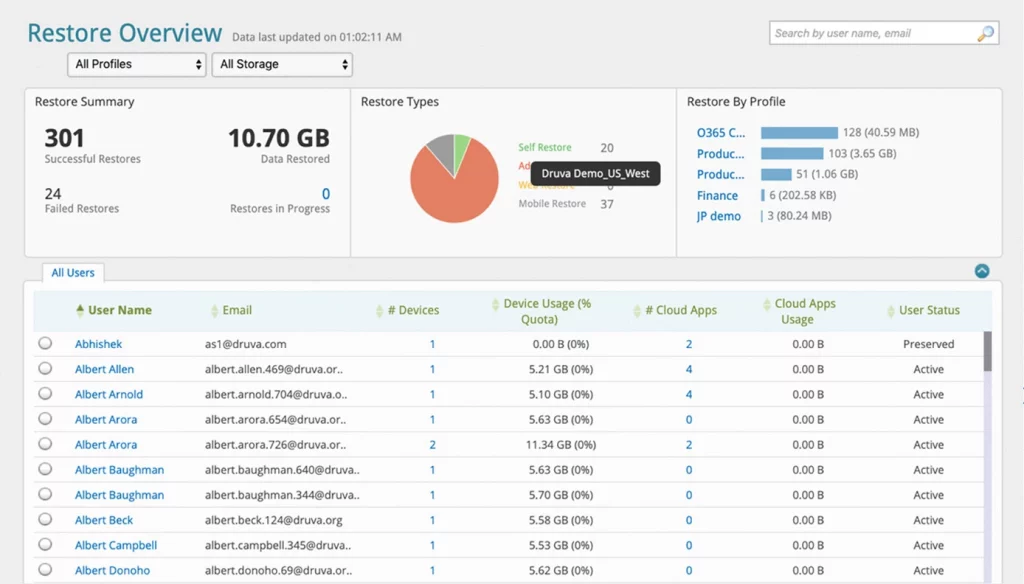

Druva Microsoft 365 Backup Express is a Backup-as-a-Service solution available as part of Druva Data Resiliency Cloud and is a purpose-built, simple to deploy, secure backup and fast recovery product for Microsoft 365 customers.
Key Pros of Druva
Druva Microsoft 365 Backup Express provides out-of-the-box configuration and automated backups to achieve rapid deployment and fast time to protection. It is a completely cloud-native solution that stores backups in Druva Cloud. This solution prioritizes ease of operations over extensive customization or storage management. The solution offers granular recovery for Microsoft 365 workloads. Backed-up data is encrypted with robust AES-256 encryption. The solution is designed to help customers meet compliance requirements such as SOC 2, HIPAA, etc.
Key Cons of Druva
Druva has a forced Druva Cloud-only model without BYOC. Administrators have less control over storage options, which can lead to higher costs and unclear pricing models. Some enterprises have difficulty justifying long-term costs because they cannot see storage costs up front. Pricing tiers and data growth should be carefully evaluated, as there are no month-to-month plans (all contracts are signed with a 1 year minimum). Backups can only be configured to your degree of policy control. Compared to other backup solutions that offer fine-grained control when configuring backups, Druva can feel less flexible.
AvePoint Cloud Backup
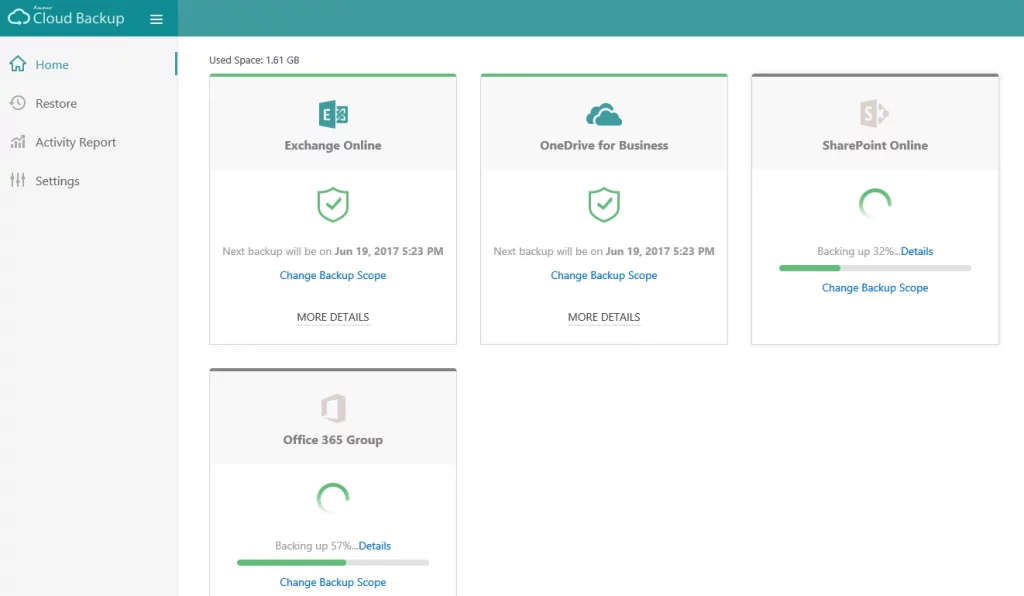

AvePoint Cloud Backup for M365 is a Data Protection Platform that was built specifically for organizations that are heavily invested in the SaaS Infrastructure. Instead of trying to support a laundry list of workload categories, AvePoint Cloud Backup for Microsoft 365 focuses on data protection, providing specialized backup and restore functionality for SharePoint, OneDrive, Exchange Online and Microsoft Teams.
Key Pros of AvePoint
AvePoint offers item-level and permission-level restore across SharePoint Online, Exchange Online, OneDrive for Business, and Microsoft Teams to provide consistent protection across your Microsoft cloud apps without having to deploy additional backup infrastructure. AvePoint Cloud Backup was designed from the ground up with zero-trust security principles in mind. It includes role-based administration and advanced reporting features.
AvePoint also provides features like permissions management, lifecycle controls, data loss prevention (DLP), hybrid storage options, as well as compliance with most regulatory standards such as GDPR and HIPAA.
Key Cons of AvePoint
AvePoint's pricing lacks transparency, and there have been some accounts of hidden API fees. Contracts are usually with a long-term commitment.
On the operations side, setup and configuration can be involved. It may also require a knowledgeable administrator. Some users also report experiencing slow response time from the support.
Cohesity Helios
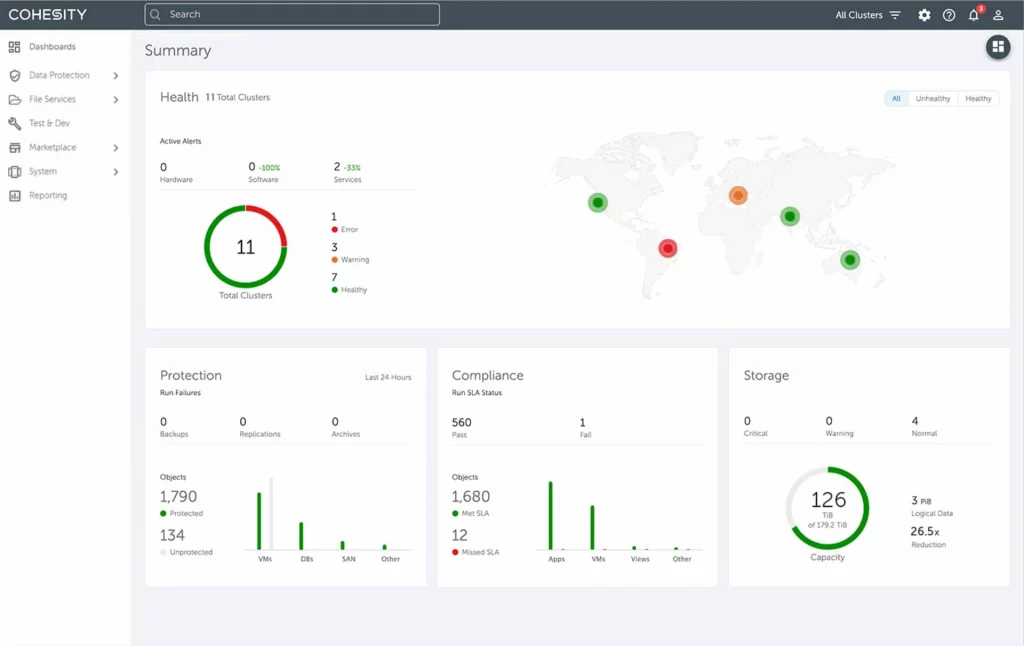

Cohesity Helios extends Cohesity’s existing enterprise data management platform into the Microsoft 365 ecosystem, with the goal of building SaaS backup into a broader data governance, resilience, and operations strategy. The Cohesity platform is therefore not a cloud-to-cloud tool. Instead, Microsoft 365 backup and recovery are meant to integrate into existing centralized policy, reporting, and security workflows that span on-premises and cloud environments.
Key Pros of Cohesity Helios
Cohesity Helios offers point-in-time and granular restore capabilities for Microsoft 365 workloads, with the goal of taking backup beyond just another SaaS tool, but rather something integral to your entire enterprise data management strategy. The platform is built for enterprise-focused organizations, providing centralized management, RBAC, robust reporting, and other enterprise-grade governance controls.
Key Cons of Cohesity Helios
A key architectural consideration is storage dependency. The platform does not offer BYOC, and when using Microsoft 365 Backup Storage, backup data remains within Microsoft infrastructure — which may not satisfy compliance models requiring an independent copy outside the SaaS provider. In addition, advanced granular search and restore capabilities are only fully available in Cohesity Backup Storage mode.
From a functional standpoint, Microsoft Teams protection has notable limitations, particularly around channels, tabs, and shared channels. At enterprise scale, API throttling may impact performance, and PST export is supported only for mailboxes and with certain constraints.
CloudAlly Microsoft 365 Backup
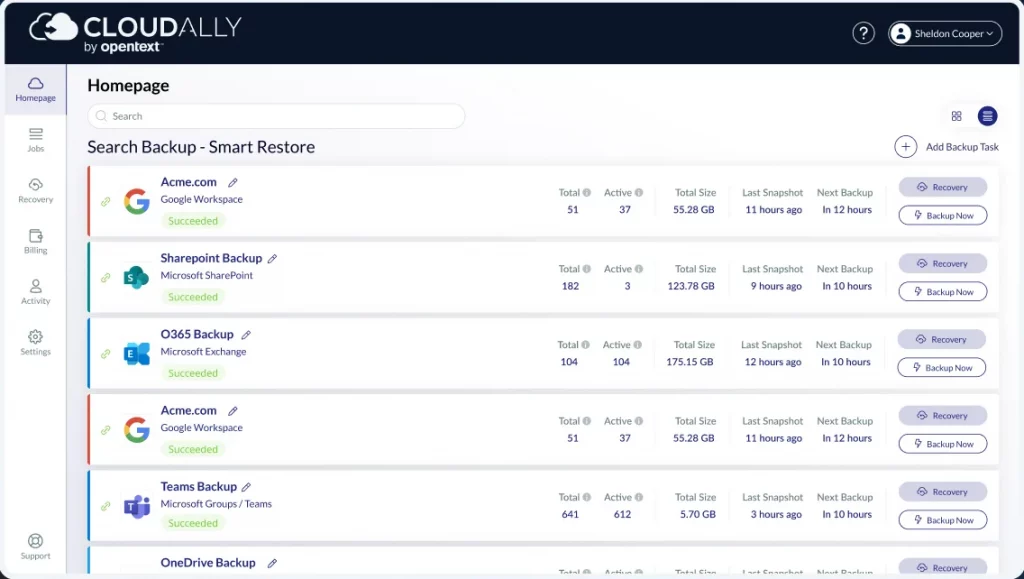

CloudAlly Microsoft 365 Backup, which is owned by OpenText, is a compliance-centric cloud backup product built for enterprise and regulated industry use cases. It is one part of OpenText’s broader information management solution stack.
Key Pros of CloudAlly
CloudAlly provides a true cloud-to-cloud backup solution for Microsoft 365 that allows organizations to automate backup with unlimited retention, without requiring any on-premises hardware. Easy to deploy and onboard, organizations can be protected in a short amount of time, without a lot of configuration. CloudAlly has a robust compliance offering, with standards like SOC 2 and HIPAA, and comprehensive audit logs. CloudAlly is supported by OpenText, giving organizations the stability of a large enterprise vendor.
Key Cons of CloudAlly
Limited Restore Granularity. CloudAlly allows you to schedule backups hourly or daily only. The restore points are determined by your backup schedule and can’t be modified. Searches can seem restrictive when performing complex restores.
Pricing may feel less transparent. There isn’t much ability for MSPs to leverage advanced pricing models. The target market is SMB to mid-market companies. The solution is primarily positioned for SMB to mid-market environments, which may limit suitability for larger enterprise deployments.
FAQ
What is BYOC, and why do MSPs need it?
BYOC means Bring Your Own Cloud. This option allows MSPs to control storage costs and avoid paying markups to cloud storage vendors. Margin improvement varies depending on service models, but BYOC can be extremely effective when implementing storage, retention, and security controls in-house.
What is immutable backup, and why do Managed Service Providers need it?
Immutable backup helps prevent deletion or tampering during a defined retention period (WORM). Many MSPs use it to reduce ransomware risk and meet audit expectations.
Should MSPs rely on native Microsoft 365 backup?
They can use it, but in comparison with third-party backup solutions, Microsoft’s native backup doesn’t deliver the essential capabilities necessary to ensure reliable, scalable, cost-effective backup and recovery.
Main cons of native backup solution:
- Lack of file-level backup or restore capabilities
- Lack of cloud storage flexibility
- High pricing
- Slower recovery times
- Complex configuration
How do MSPs evaluate backup vendors?
MSPs should consider:
- How easy is it to manage multiple tenants
- What is necessary to back up
- What integrations do they need
- Does the vendor have other valuable products in its portfolio
- Storage options (BYOC vs hosted storage)
- Restore granularity
- Transparent pricing without hidden fees
- Term of commitment (many vendors offer long-term commitment only)
What is vendor lock-in?
Vendor Lock-in is the result that occurs when a customer uses a product or service from a vendor that makes it difficult, prohibitively expensive, or full of technical challenges to move to another vendor.